SubSage
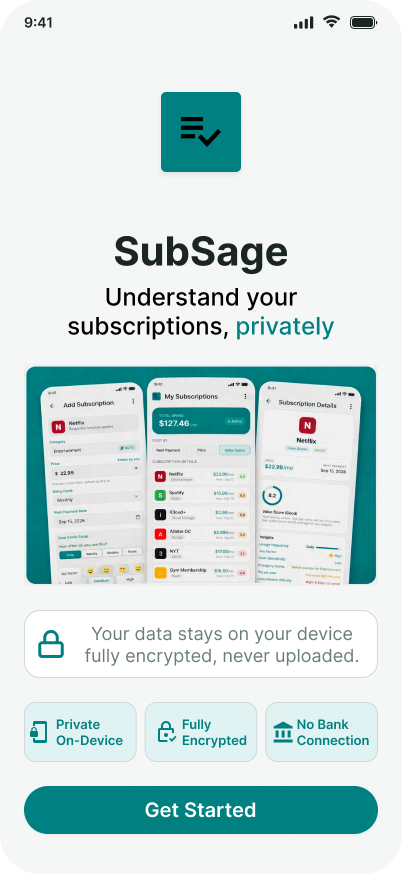
A simple, private way to understand your subscriptions.
No bank connection. No account. No tracking. Your data stays encrypted on your device — and nowhere else.
Subscription overload is real.
Streaming, cloud storage, fitness, productivity, gaming — subscriptions pile up fast. But keeping track of them? That’s a mess.You shouldn’t need to share sensitive financial data just to understand what you’re paying for.
Surprise renewals
Price increases
Forgotten subscriptions
Confusing cancellation flows
Apps that want access to your bank account
What SubSage Is
SubSage is a lightweight, privacy‑first subscription helper you fill in manually.
You enter the services you use, and SubSage organizes them, scores their value, and helps you decide what to keep, cancel, or downgrade — all offline, on your device only.
How it works.
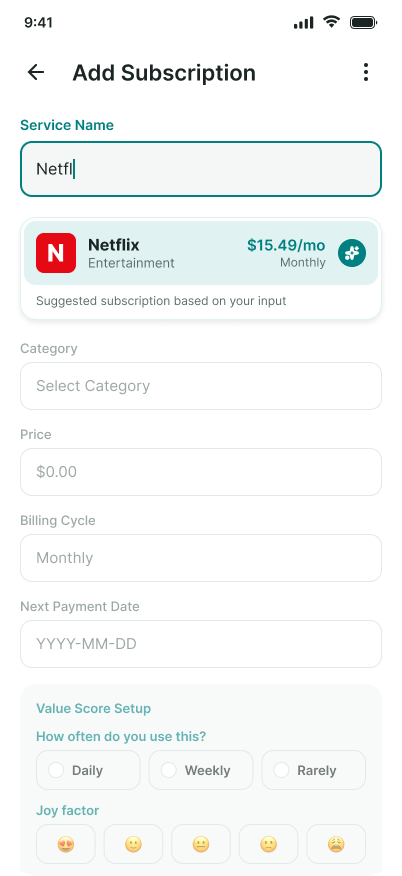
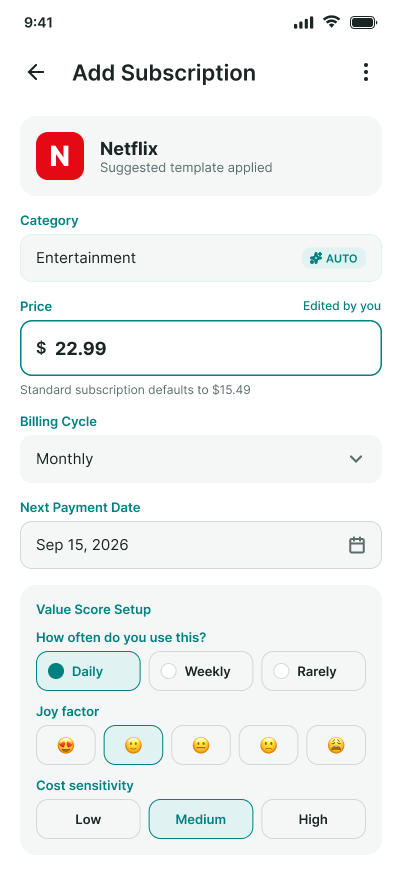
Add your subscriptions manually. Type the name — SubSage autofills category, typical pricing, and renewal patterns using a curated local dataset.
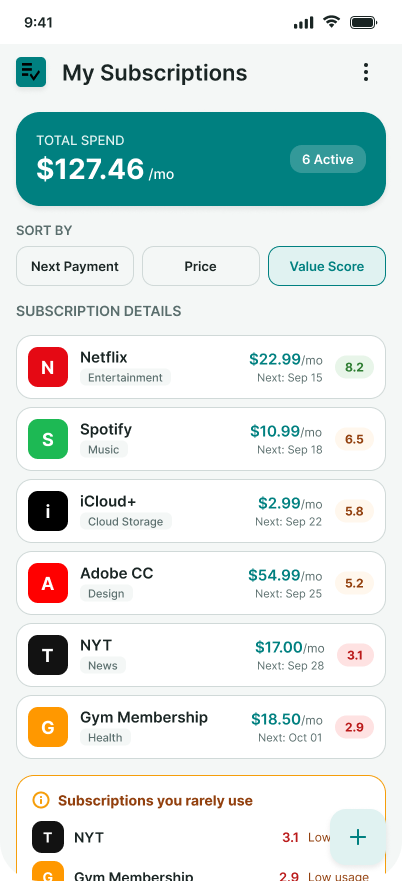
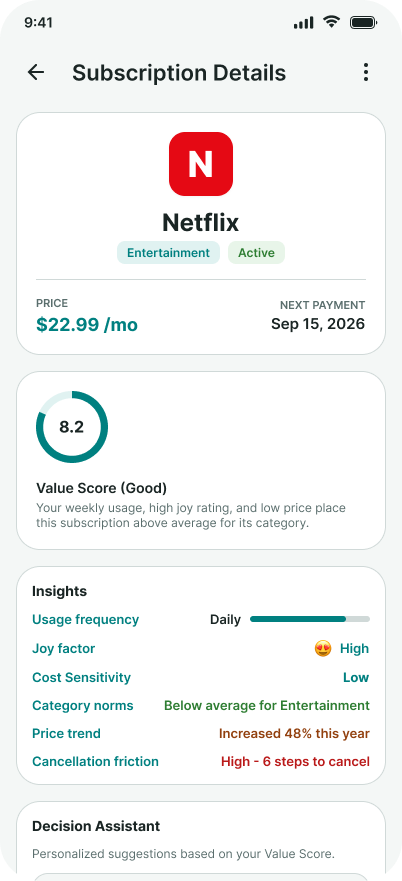
See everything clearly. Your subscriptions in one place: cost, renewal dates, usage, and value score.
Get simple guidance. SubSage helps you decide what’s worth keeping, what’s overpriced, and what you might want to cancel or downgrade.
Stay informed. Optional reminders for renewals, price changes, and discounts.
Keep your data private. Everything is stored locally and encrypted. Nothing is uploaded or tracked.
Why Manual Entry Works.
Manual entry keeps your financial data private — and SubSage makes it fast.
Most people only need to enter 5–10 items to get full clarity.
You don’t need to remember every subscription. SubSage helps you discover forgotten ones by showing:
common categories (streaming, gaming, fitness, cloud storage)
popular services you might have
typical renewal patterns (monthly, annual)
How Autofill Stays Accurate
SubSage uses a curated list of common services (Netflix, Spotify, Disney+, etc.).
The app ships with built‑in defaults that are updated periodically, and you can override any value manually.
This keeps everything private and offline while still giving helpful guidance.
Privacy
Your subscription data never leaves your device. You stay in control of your financial information at all times.
No account required
No cloud storage
No bank connection
No tracking
Encrypted local storage

How it's different.
Most subscription apps connect to your bank. SubSage doesn’t.Tools like Rocket Money and Monarch rely on financial aggregators (like Plaid) to scan your transactions. That means sharing your banking data.
SubSage takes a different approach:
Manual entry instead of bank connection
Local storage instead of cloud accounts
Private insights instead of financial tracking
You get clarity without giving up privacy.
Who it's for.
Privacy‑conscious people. You want clarity without connecting your bank account.
Budget‑aware people. You want to reduce spending without using heavy budgeting apps.
Manual trackers. You already track subscriptions — SubSage makes it effortless.
Get early access.
Be the first to try SubSage.
FAQ's
How does SubSage work without an account? Your data is stored locally on your device. Nothing is synced or uploaded.
What if I forget a subscription? SubSage helps you remember by showing common categories and popular services. You can add items anytime.
Will SubSage alert me about price changes? Yes — optional reminders for renewals, price increases, and discounts.
Will SubSage help me cancel subscriptions? Yes — SubSage includes direct links to cancellation pages for popular services.
Is this a budgeting app? No. SubSage focuses only on subscription clarity and value — not full financial tracking.
How will SubSage be priced? SubSage will offer a simple one‑time purchase for the core app, with an optional yearly upgrade for advanced features. No ads, no tracking, and no monthly subscriptions. The yearly upgrade unlocks ongoing intelligence features like value scoring, renewal insights, and price‑change alerts.